Made for the TV
Playris is built around Apple TV focus, readable rows, and a shell that keeps Library, Now Playing, Visualizer, and Settings close at hand.

Playris
Apple TV music for Plex
Apple TV music app for Plex
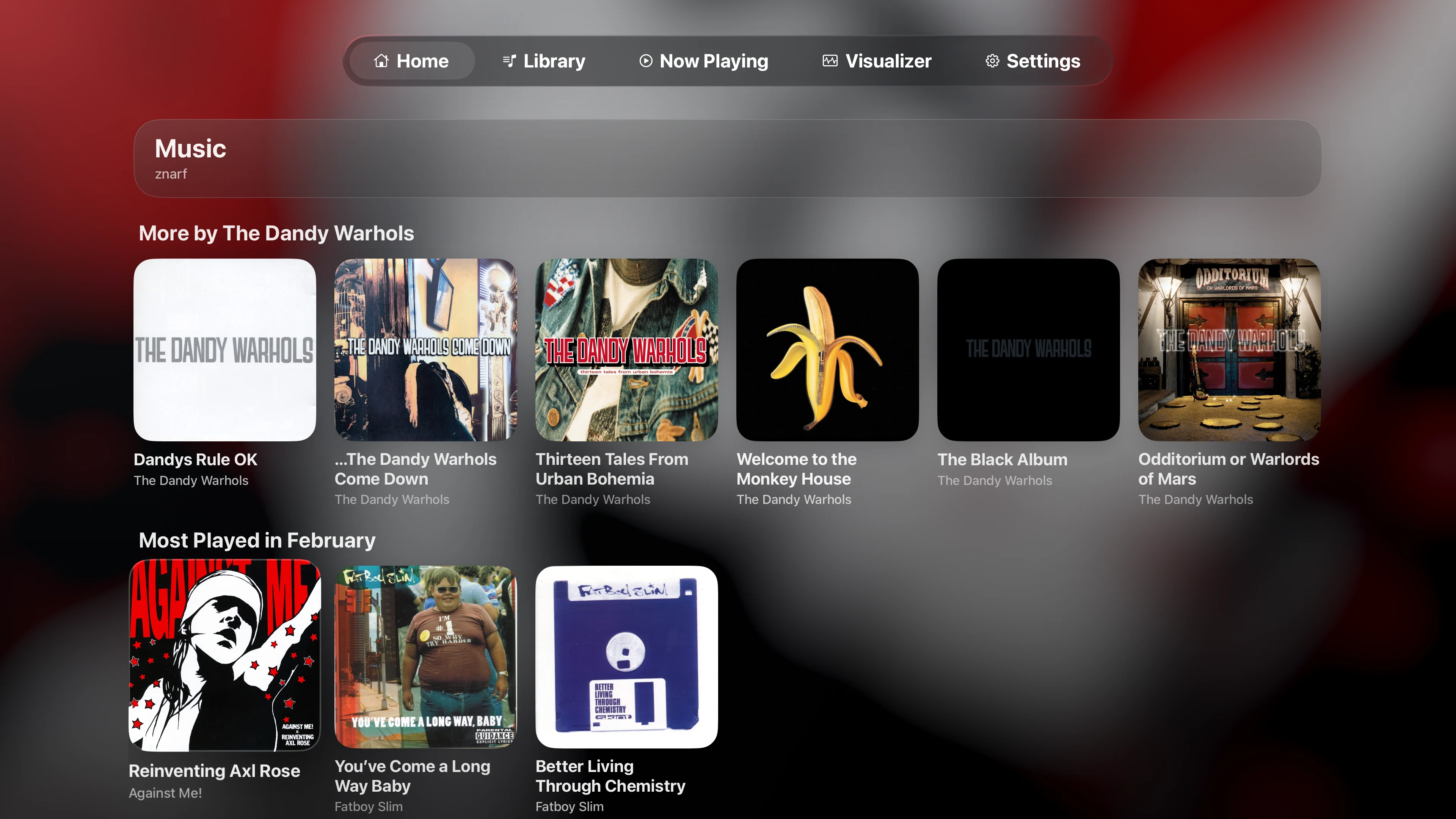
Playris brings Plex music to Apple TV with a home screen built for discovery. Jump back into artists, open albums, pick up where you left off, then move into Now Playing or the visualizer without digging through the video app.

Why Playris
The home screen puts your music back in front of you on Apple TV. Start from artists, jump into albums, revisit what you have been playing, keep Now Playing close, and switch to the visualizer when the room calls for it.
Playris is built around Apple TV focus, readable rows, and a shell that keeps Library, Now Playing, Visualizer, and Settings close at hand.
You get large artwork, a readable queue, and playback controls that still make sense from across the room.
Artists -> albums -> songs, then into playback. Playris keeps the music path clear on Apple TV.
When you leave the library, Now Playing and the visualizer side of the app stay one click away.
Home surfaces artists, albums, and recent listening so you can find something to play without starting from scratch.
Yes, that Milkdrop. Playris includes it as a full visualizer mode on Apple TV, backed by a modern Metal renderer.
On screen
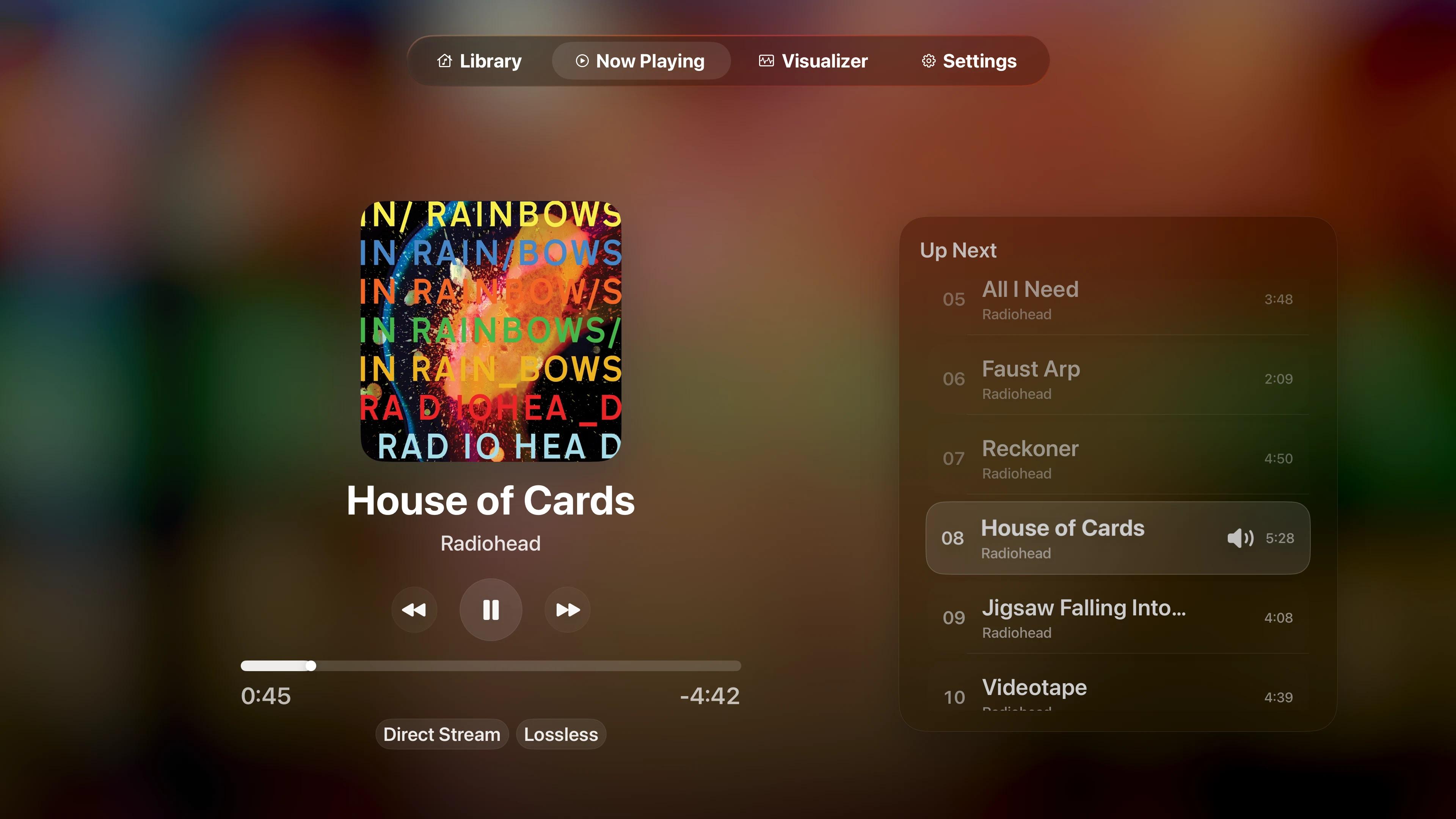
Now Playing stays readable from across the room, and the visualizer side of the app is ready when you want something less restrained.
Now Playing
Artwork, queue, and playback controls stay easy to read from across the room without turning the player into a dashboard.
Milkdrop
Playris includes Milkdrop as a real visualizer mode in the app, not as a throwaway extra.
FAQ
What the app does, how playback access works, and where to get it.
Playris is an independent Plex music app for Apple TV. Browse artists, open albums, start a song, then move into Now Playing, Visualizer, or Milkdrop.
Plexamp is not offered as an Apple TV app. Playris is a dedicated Apple TV app for Plex music, with its own player, Now Playing screen, and visualizer modes.
You need a Plex account, access to a Plex Media Server, and a music library in that server.
Playris is for Apple TV. There is no iPhone, iPad, or Mac version. The whole product is built around the tvOS experience.
You can browse the app for free, and playback is available through free 20-minute sessions so you can try every part of the app. If you want uninterrupted playback, Premium plans and lifetime access are available.
Playris already includes serious work in its playback stack, gapless playback support, bit-perfect-priority playback modes, and Milkdrop integration on Apple TV. Paid plans support that work and the roadmap ahead, including more Milkdrop presets, a fuller home screen, playlists, and more.
Playris is built specifically for Plex music on Apple TV, with artists-first browsing, a dedicated Now Playing screen, and visualizer modes including Milkdrop.
Yes. Playris includes a built-in visualizer for everyday listening, and Milkdrop when you want the louder side of the app.
Yes. Playris is available now on the Apple TV App Store. View it on the App Store .
Download it from the Apple TV App Store, or use the App Store link below. Open the App Store listing .
Feedback
Send a note directly from the site. We won't share your email, and we'll only use it if we need to reply.